Components / Product
P
woo-product-share

Product Share

Share the current product across social channels.

Setup steps

  1. Open the FramerWoo plugin and insert Product Share.
  2. Place this inside a product CMS context so it can read the current product automatically.
  3. Configure the component behavior in Framer's property panel.
  4. Style its default, responsive, loading, and empty states on canvas.
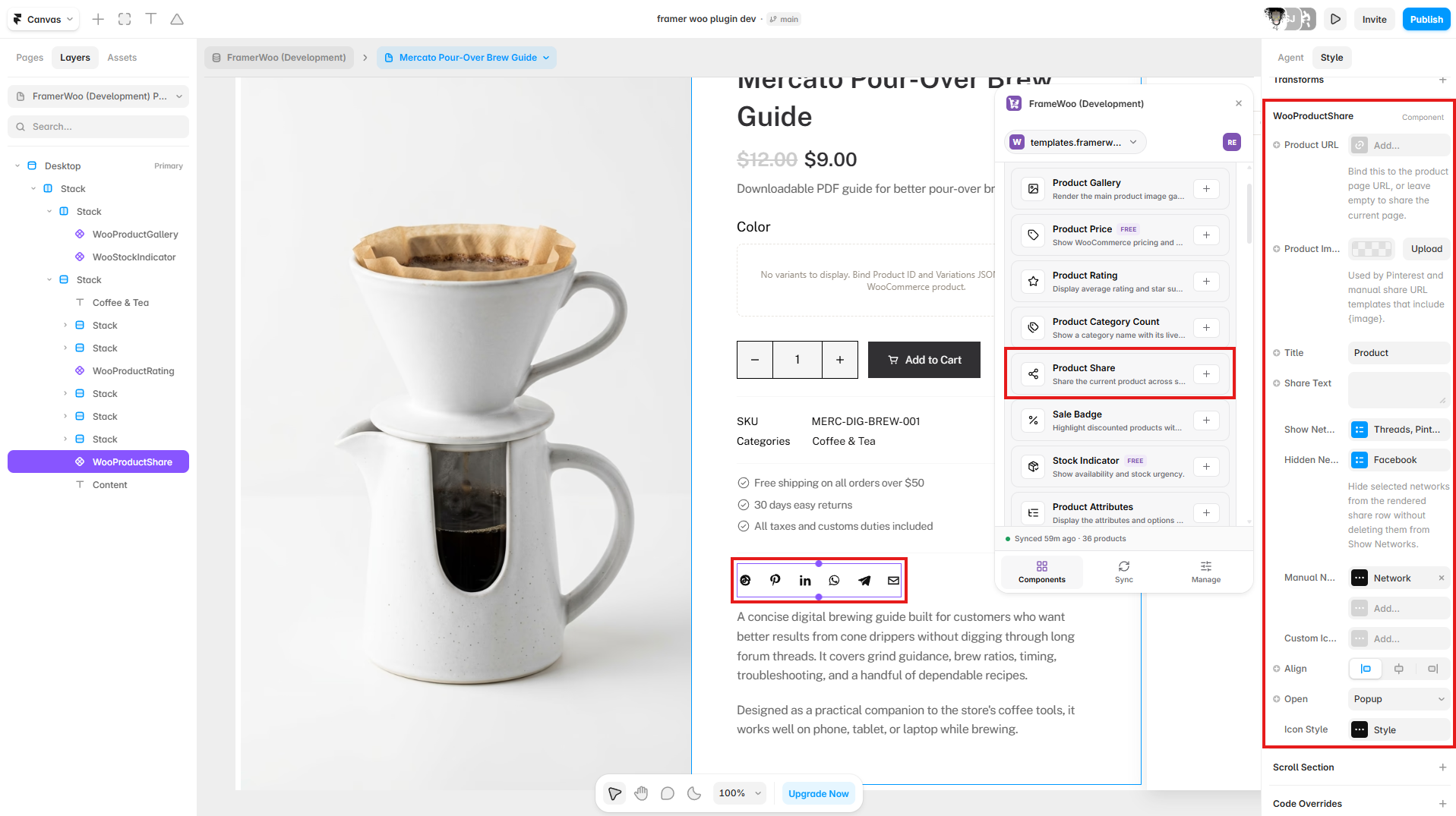
Product Share displayed on a Framer product page with sharing controls connected in the property panel
Insert Product Share inside the product CMS context, then configure its product URL and sharing networks.

Property panel

Use Framer's controls to connect context and match your visual system.

Context
Controls the WooCommerce or CMS data source used by the component.
Content
Controls visible labels, values, formatting, and empty-state copy.
Style
Controls typography, colors, spacing, alignment, and responsive behavior.
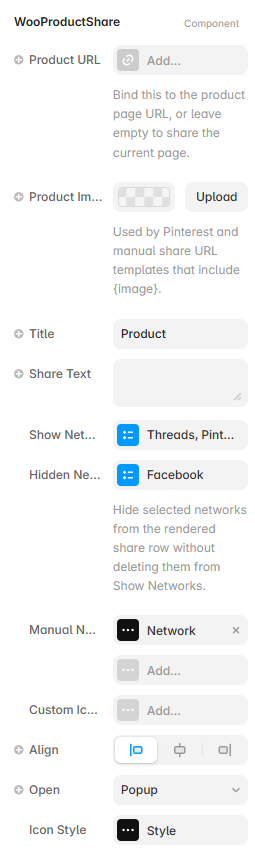
Framer property controls for the Product Share component
Product Share controls for URL content, networks, icons, alignment, and share behavior.
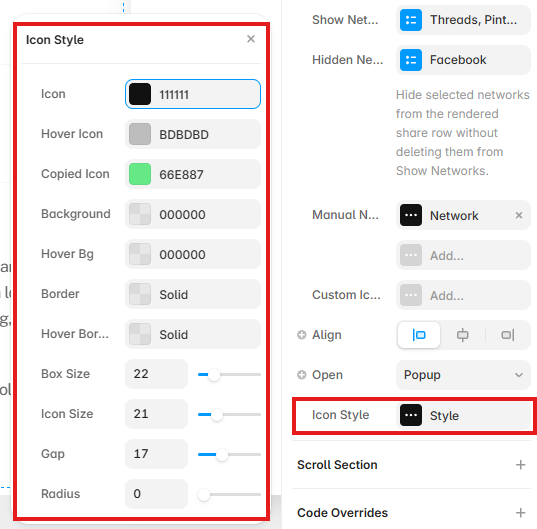
Product Share Icon Style controls showing colors, borders, sizing, spacing, and radius options in Framer
Open Icon Style to configure icon states, backgrounds, borders, sizing, spacing, and radius.